
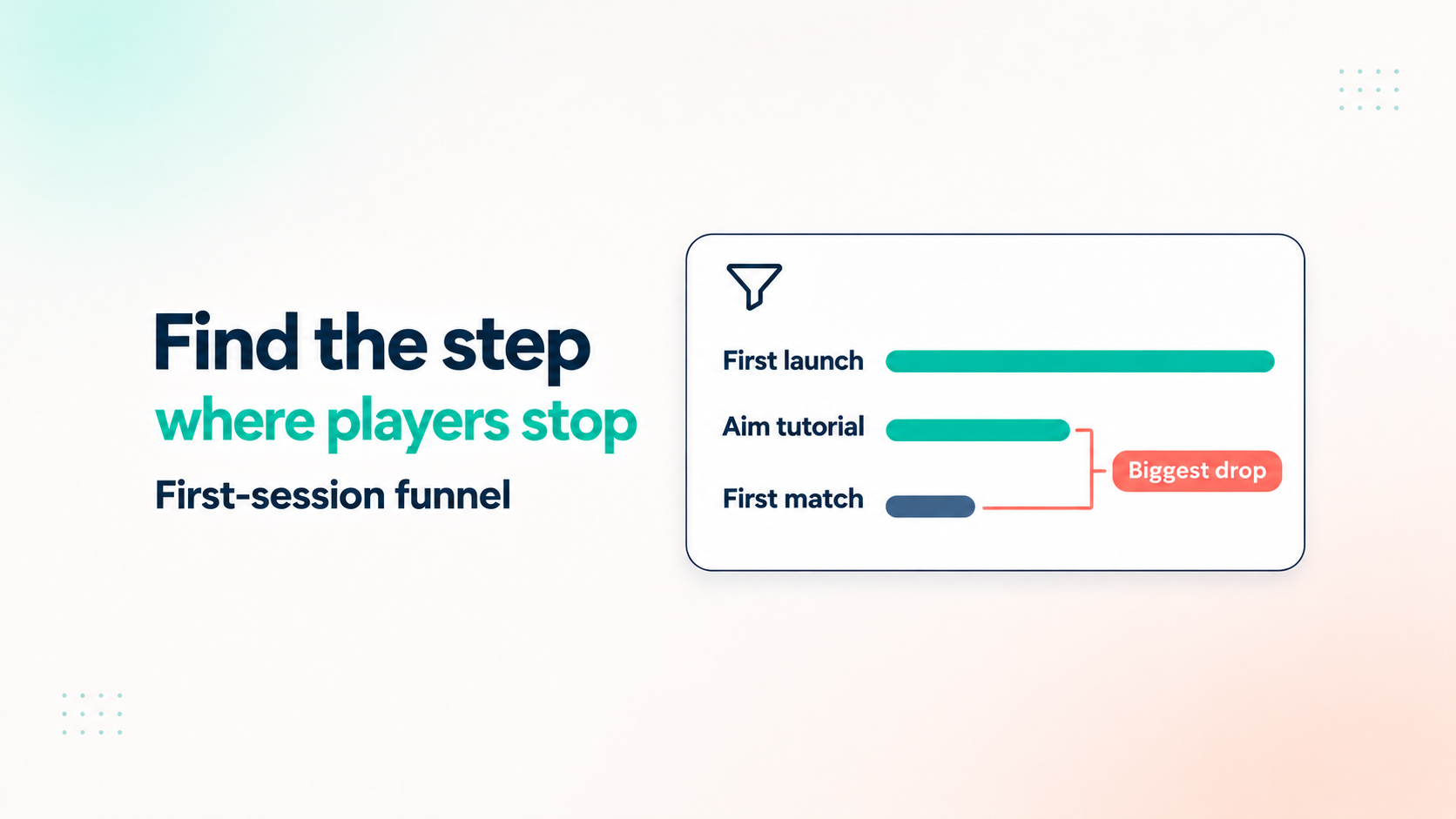
It's launch week. Installs look fine, but the next morning your producer sees that many new players never finished their first session. Nobody can say where they left: the name screen, the aim tutorial or the first match.
The playtest notes don't answer that, and neither do the best-practice lists. This guide shows how to turn your game's first time user experience into a funnel of steps, find the step where new players stop, and test a fix.
Why the FTUE needs a funnel, not another list of tips
The first time user experience (FTUE) is everything a new player does in their first session. That covers the first launch, the downloads, the name screen, the tutorials and the first real match.
Most FTUE advice is a list of tips: keep the tutorial short, let players play early, ask for sign-in later. The tips may be right. They still can't tell you which step in your game is losing players. That is the question your producer is asking.
A funnel answers it. Write down the 6–10 steps a new player should get through. Have the developer send one event per step. Then count how many new players reach each step. The biggest drop between two steps is where you look first. Whatever you change there is a hypothesis. You check it by comparing new players before and after the change.
The six steps below follow that order. You own steps 1, 3, 5 and 6. The technical parts in steps 2 and 4 go to a gameplay programmer and an analyst.
1. Write the first session down as 6–10 steps
Start with the first session you designed. Play it on a fresh install and note every point where the player has to do something to move on.
Pick steps a player completes, not screens they might see. "Aim tutorial done" means the player hit the targets. "Aim tutorial shown" only means the screen loaded, and a player can quit on it. Completed steps make the funnel easy to read: each step is a door the player walked through.
Give each step a short name and an order number. The name is for people reading the chart. The order number keeps the steps sorted the same way every time, even after you rename one.
Count the boring parts as steps too. Asset downloads, loading screens, account sign-in and permission prompts are all points where a player can leave. If they are not steps, a player who quits during a download shows up as a drop at the next tutorial. Then you redesign the wrong screen.
Stop at the end of the first session. Later levels and the second day are different questions, covered in their own posts. If you want help turning the list into events, plan your events with a designer's metric list.
2. Ask your developer for one event per step
You don't add these events yourself. The gameplay programmer on your team adds them in the game code. Your part is the step list and a clear request.
Ask for one event each time a player completes a step. Each event should carry at least these four things:
- the step name, as written in your list
- the step's order number
- a player ID that stays the same for that player
- a session ID that changes each time a new session starts
The two IDs matter most. Without the player ID, the analyst can't count people. Without the session ID, nobody can tell the first session from the second.
The IDs come from the game, not from Rawbbit's Collector, the service that receives events. In browser games, the JavaScript SDK's optional identity adapter can generate pseudonymous player and session IDs inside the game.
Events reach Rawbbit over HTTPS, through the JavaScript or Unity SDK or as batches from any engine that can make HTTPS requests. The Unity SDK hasn't been tested in a running game, so your developer should try it in a test build first. Before writing code, your developer can read which events to send first and what an event carries.
3. Agree on who counts as a new player and what the first session is
Settle the definitions with your analyst before anyone reads a chart. Skip this, and two people build the same funnel and get two different answers.
A new player is one whose first event falls in the period you look at. A player who installed last month and opened the game again this week is not new, even if they replay the tutorial.
The first session is the earliest session ID for that player. Events from later sessions stay out of the funnel. A player who finishes the aim tutorial on day two does not count as passing it in the first session.
Count players, not events. Rawbbit delivers events at least once, so the same event can arrive twice. Counting each player once per step keeps a duplicate from making a step look bigger.
Ask the developer to include the app version and the platform with each event too. You will need both later: the version to compare builds, the platform to split mobile from PC.
Write the definitions down where the team can find them. When the analyst rebuilds the funnel next month, it should come out the same way.
4. Read the funnel: find the biggest drop between two steps
Your analyst builds the funnel as a Metabase question or a SQL query on the raw events. You get back your list of steps with the number of new players who reached each one. For the analyst's side, see how to build the funnel as a Metabase dashboard.
Read the drop from step to step, not only from the first step. Every step looks smaller than the first launch, so that view makes the whole session look bad. The useful question is which step loses the largest share of the players who reached the step before it. That is where you look first.
When one drop stands out, ask the analyst to split it by platform or app version. If only mobile shows the drop, it points somewhere different from one that shows everywhere. When the drop started with one build, look at what changed in that build.
Check the size of the group before you act. With only a few dozen new players, one or two people leaving can move a step a lot. Treat that as a weak signal and wait for more players.
You can also ask in plain words. An AI agent such as Claude or Codex can connect through Rawbbit's read-only MCP server, a link that lets it run queries but not change data. It can query the same events and return the count per step. Your analyst should still check that it used your definitions of a new player and a first session. More on asking an AI agent about your events.
5. Match each kind of drop to what it usually points to
A drop tells you where players left, not why. Where it sits still narrows the search. Treat each pairing below as a hypothesis to check, not as proof.
Right after a download or load. Leaving at this point suggests load time or file size. Check both on the devices that show the drop.
At a UI step. A drop at naming, settings or a controls screen points to confusion. Players may not see the button, or may not know what the screen wants from them.
At the first fight or match. This points to a difficulty spike: the first real opponent arrives before the player is ready. To dig further, check whether the first fight is too hard.
At a timer or forced wait. Losing players at a build timer, a cooldown or a queue points to pacing. The player has nothing to do and closes the game.
Write the hypothesis next to the step before you change anything. It tells the team what the change is supposed to fix.
6. Change one thing, then compare new players before and after
Ship one change per step where you can. If the new build changes the tutorial, the reward and the loading screen at once, you can't tell which change moved the step.
Then compare new players on the old build with new players on the new build, at the same step. The app version from step 3 splits them. Keep the definitions from step 3 the same for both groups.
Other things move the numbers too. A new ad campaign brings different players. A holiday or a sale changes who installs. If one of these lands in the same week as your build, the comparison mixes both effects.
Even a clean comparison shows that the step changed, not why. The funnel only shows the order of events. Read a better step as support for your hypothesis, and keep the playtest notes next to it.
Example: the first session of a squad shooter (illustrative)
This example is made up; the game does not exist. Picture a free-to-play squad shooter on mobile and PC. The designer plays a fresh install and writes down eight steps:
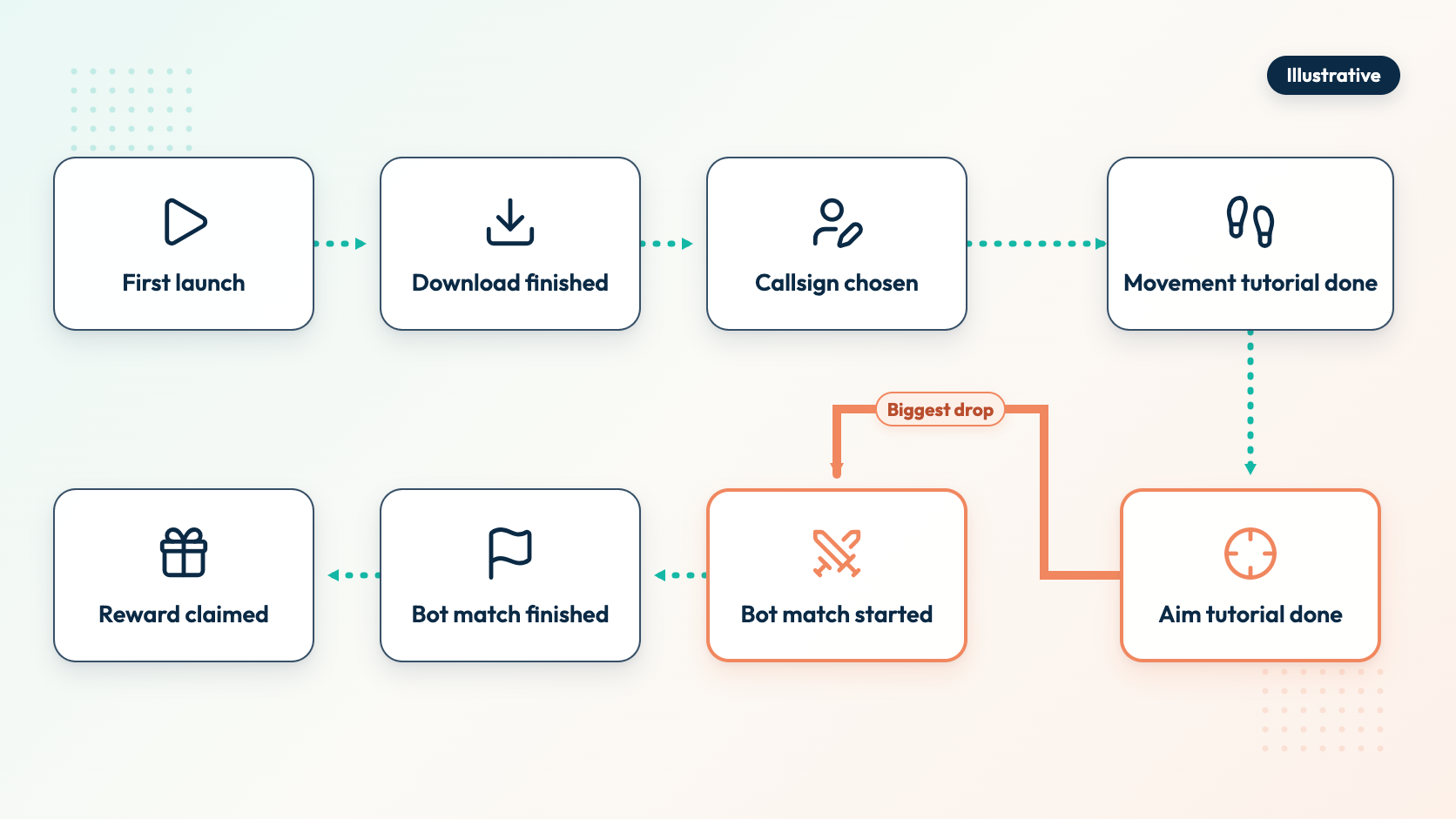
A made-up example: the order of steps and where the drop sits, not real data.
| Order | Step | The developer sends the event when |
|---|---|---|
| 1 | First launch | the game opens for the first time |
| 2 | Asset download finished | the extra files are on the device |
| 3 | Callsign chosen | the player confirms a name |
| 4 | Movement tutorial done | the player reaches the last marker |
| 5 | Aim tutorial done | the player hits the last target |
| 6 | First bot match started | the match begins |
| 7 | First bot match finished | the match ends, win or lose |
| 8 | First reward claimed | the player taps claim |
Every event carries the step name, the order number, the player ID, the session ID, the app version and the platform.
A week after the build ships, the analyst brings back the funnel. Most steps lose a few players each. The biggest drop sits between the aim tutorial and the first bot match. Split by platform, the gap is wider on mobile than on PC.
The team writes down two hypotheses. First, the match takes too long to load on phones, and players quit on a loading screen the funnel can't see. Second, the aim tutorial ends on the main menu, where the play button sits next to the store and the season pass, and new players don't know where to go.
They try one change: the aim tutorial now takes players straight into the first bot match. They also ask the developer for a new "Match loaded" step. It fires when the loading screen clears and the countdown to the first round appears. With it, the next build can tell a slow load apart from a lost player.
On the next build, the analyst compares new players on both builds between the aim tutorial and the first bot match, split by platform. The team waits until the new build has enough new players to read. They also check whether an ad campaign started that week. If the gap shrinks, that supports the menu hypothesis. If it stays wide on mobile, the new load step shows whether players leave while the match loads.
Where a first-session funnel stops helping
A funnel shows where new players stop, not why they left. Playtests, store reviews and player feedback still answer the why. Players who leave and come back on a later day belong to retention, covered in D1, D7 and D30 retention. Quitting deep into the game is a separate question: see where players quit at later levels. And the funnel never decides on its own. A designer or producer reads it, weighs it against the playtests, and picks the change.
How Rawbbit fits, and what to do next
Rawbbit is open-source game analytics infrastructure for studios. Your game sends its first-session events, and Rawbbit keeps them as raw events you can query through SQL, Metabase and a read-only MCP server for AI agents. When you self-host, those raw events sit in storage your studio owns. Because you keep the raw events, not only a finished chart, the analyst can rebuild the funnel later with a new step or a new definition.
Metabase comes up as a connected instance. The FTUE view is built in it by your analyst. A managed setup can also include models and dashboards built for your game.
There are three ways to start:
- Self-host it free from GitHub. It is Apache-2.0, with no per-event or per-seat fees, and your team runs the servers.
- Ask for a quote for a managed setup priced for your studio.
- Apply for the free Design Partner pilot for one game: a fixed-scope pilot, up to three months on Rawbbit's servers, after which your studio takes its raw data.
To see the path from a game event to a query, read how Rawbbit stores and queries game events.
FAQ
What is the first time user experience (FTUE) in a game?
The FTUE is everything a new player does in their first session: the first launch, downloads, account prompts, tutorials and the first real match or level. Designers measure it as a funnel of steps to see where new players stop.
How long is a game's FTUE?
It lasts one session, so its length depends on your game's design. For measuring, write it down as 6–10 steps from the first launch to the natural end of the first session, and leave later levels out.
Which events should a game send to measure the FTUE?
One event per step the player completes, such as download finished, name chosen or first match finished. Each event carries the step name, the step order, a player ID and a session ID. The app version and platform let you compare builds and split mobile from PC.
Is an FTUE funnel the same as D1 retention?
No. The FTUE funnel shows where in the first session new players stop. D1 retention shows whether they come back the next day. A player can finish the whole FTUE and still not return, so the two answer different questions.
How many new players do I need before the FTUE funnel means anything?
There is no fixed number. With only a few dozen new players, one or two people leaving can move a step a lot, so treat the result as a weak signal. Wait for more players before you redesign a step.
Can a game designer set up FTUE tracking without a programmer?
No. The designer writes the step list and agrees the definitions with the analyst. A gameplay programmer adds one event per step in the game code. An analyst, or whoever writes queries, builds the funnel.