
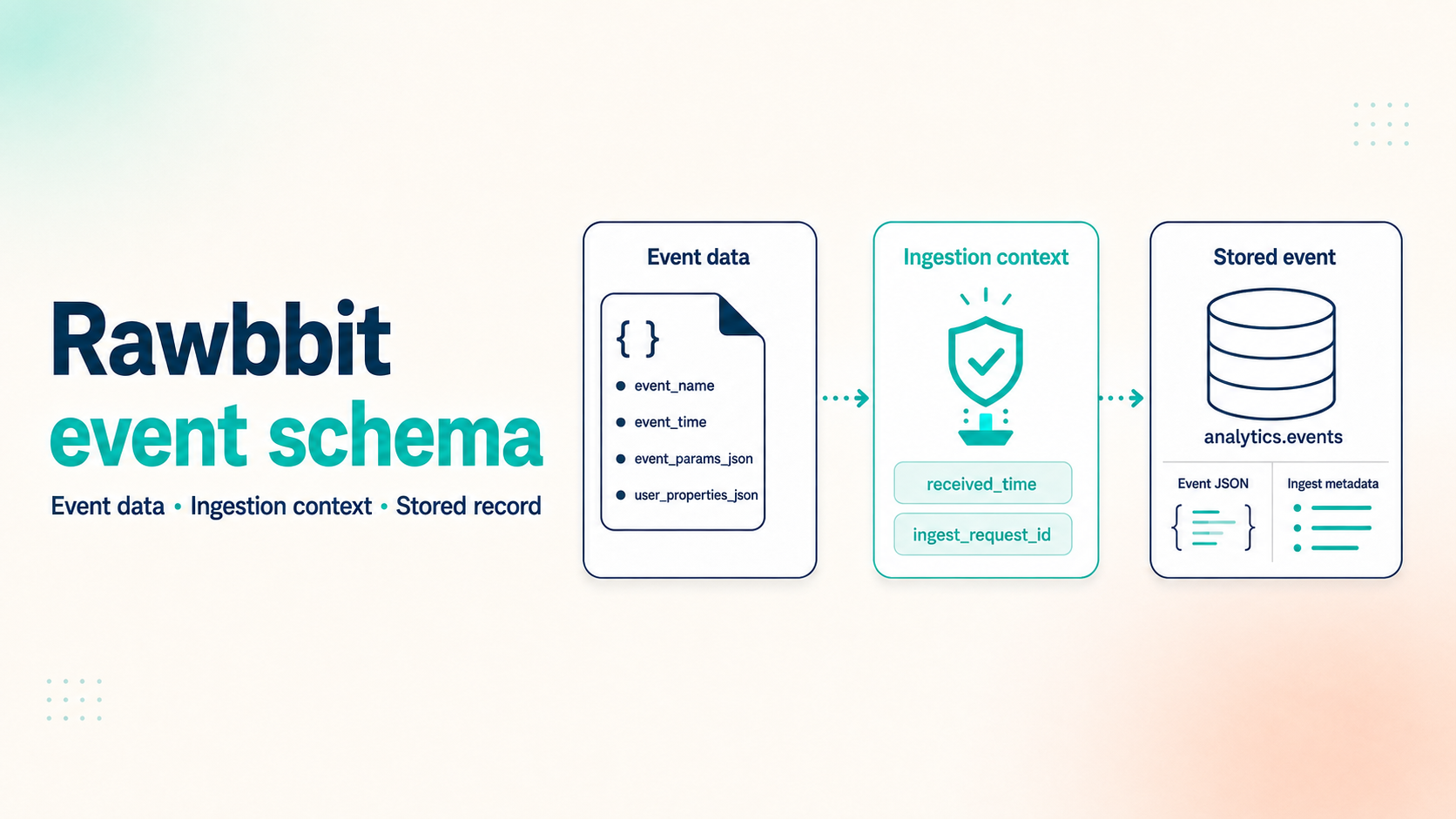
An analytics event usually contains several different kinds of information:
- what happened in the game;
- which player and session it belongs to;
- the state of the player at that moment;
- where the player came from;
- metadata added while the event moves through the pipeline.
Putting all of this into one flat object makes the event easy to send and difficult to use. Rawbbit keeps these parts separate.
This article explains the current Collector API event shape, which values your game integration should send, what Rawbbit adds, and how those values appear in analytics.events.
Start with the event itself
The Rawbbit Collector API currently requires four fields for each event:
event_idapp_idevent_nameevent_timestamp
Here is a compact level_completed example:
{
  "events": [
    {
      "event_id": "5ac8848e-34fa-4b4d-98d6-4dc22c782d45",
      "app_id": "com.example.puzzle",
      "environment": "prod",
      "event_name": "level_completed",
      "event_timestamp": "2026-09-06T14:32:18.245Z",
      "user": {
        "user_pseudo_id": "player_8f14",
        "session_id": "session_1042"
      },
      "device": {
        "platform": "android",
        "app_version": "1.8.0",
        "os_version": "15",
        "locale": "en-FI",
        "timezone": "Europe/Helsinki"
      },
      "event_params": {
        "level_id": 24,
        "duration_seconds": 96,
        "moves_used": 18,
        "score": 42800,
        "result": "win"
      },
      "user_properties": {
        "install_date": "2026-08-14",
        "player_level": 24,
        "payer_segment": "non_payer"
      },
      "traffic_source": {
        "source": "meta",
        "medium": "paid_social",
        "campaign": "soft_launch_fi"
      },
      "consent": {
        "analytics_storage": true,
        "ads_storage": false,
        "personalization": false
      }
    }
  ]
}
The API key is sent in the X-API-Key header, not inside the event. Rawbbit checks that the key is allowed to send data for the supplied app_id.
environment is optional in the current API schema, but I would send it explicitly. Mixing development, test, and production events without a reliable environment value makes every later query harder.
Event parameters describe this occurrence
event_params contains facts about the event that just happened.
For level_completed, useful parameters might be:
level_idduration_secondsmoves_usedscoreresult
For iap_completed, they might be product_id, price, and currency. For ad_failed, they might be the placement and failure reason.
These values change from one event to another. level_id belongs in event_params because it describes this particular level completion, not the player forever.
Rawbbit does not require you to define these parameters in a central schema before sending them. The tradeoff is that your team owns their consistency. If one build sends level_id as a number and another sends levelId as text, both values can reach the raw layer, but every dashboard and query has to handle the difference.
User properties describe the player's state
user_properties contains a snapshot of player state at the time of the event.
Examples include:
install_dateplayer_levelpayer_segmentlifetime_sessionslifetime_revenue_usd
payer_segment belongs here because it describes the player's current state and may be useful across many event types.
There is one important limitation: Rawbbit stores these properties with the event. It does not automatically maintain a separate, mutable player profile and update it for you. If you need the latest known state for each player, that becomes a downstream model built from the event history.
The user object is different. It contains identifiers that connect events:
user_pseudo_id- optional
user_id - optional
session_id
For most game analysis, a stable pseudonymous player ID and a session ID are much more useful than a real-world identity. Avoid sending personal data that the analysis does not require.
The Collector API does not generate user_pseudo_id, user_id, or session_id. Your game or backend can provide them, and Rawbbit's optional client identity adapter can generate the pseudonymous and session identifiers before the event is sent. If user_pseudo_id is still missing, the ClickHouse loader stores an empty string; that does not create a usable player identity and will make user-level analysis unreliable.
Device and traffic data must come from somewhere
The producer can also send device context:
- platform and application version;
- OS version and device model;
- locale and timezone.
Rawbbit stores these as regular columns, which makes questions such as “did failures increase after version 1.8.0?” straightforward.
The Collector API does not derive these device fields from the HTTP request. Your game, backend, or SDK must add them to the event payload. The HTTP request user agent is different delivery metadata and is stored separately as ingest_user_agent.
Traffic attribution is not inferred automatically by the Collector API. The producer must send traffic_source.source, traffic_source.medium, and traffic_source.campaign when it knows them.
That producer may be the game client, your backend, a website integration, or a future SDK. For example, a mobile game might receive install attribution from another service and attach the agreed source and campaign to its analytics events.
If no traffic source is supplied, traffic_source_json contains {}. Rawbbit should not guess whether a player came from an advertisement, an organic store visit, or another campaign.
What Rawbbit adds during ingestion
For normal producer payloads, the collector adds delivery metadata when it is missing:
- receive time;
- a request ID for the accepted batch;
- the request user agent;
- a salted hash of the client IP when an IP is available.
The hash can help with operational analysis without adding a raw-IP column to analytics.events. It is still data that should be handled deliberately, with the correct consent and retention rules.
In the deployed Rawbbit ingestion path, Caddy forwards the client address to the Collector API. The collector uses it to add country and country code to the geo object when the GeoIP lookup succeeds. The lookup is best-effort: if it does not return a result, the event is still accepted.
After the collector accepts the event, NATS JetStream adds stream metadata. The raw writer stores the stream name and sequence with the Parquet row. When the data is loaded into ClickHouse, Rawbbit parses event_timestamp into event_time and derives event_date from it.
The result is a useful boundary:
Your game describes the player action. Rawbbit adds information about how that event entered and moved through the pipeline.
How the event appears in analytics.events
The current ClickHouse table is flat. Frequently filtered context has dedicated columns, while flexible objects are stored as JSON strings.
The columns are grouped like this:
| Source | Columns in analytics.events |
|---|---|
| Core event | event_id, app_id, environment, event_name |
| Event time | event_time, event_date |
| User context | user_id, user_pseudo_id, session_id |
| Device context | platform, app_version, os_version, device_model, locale, timezone |
| Flexible JSON context | event_params_json, user_properties_json, traffic_source_json, geo_json, consent_json |
| Collector metadata | received_time, ingest_request_id, ingest_user_agent, ingest_ip_hash |
| JetStream metadata | nats_stream, nats_sequence |
The raw writer flattens user and device into their dedicated columns and serializes event_params, user_properties, traffic_source, geo, and consent as JSON strings. When one of those flexible objects is missing, its stored JSON value is {}. The ClickHouse load parses event_timestamp into event_time, derives event_date, and parses the collector receive timestamp into received_time.
The storage schema is deliberately more tolerant than the Collector API contract. For example, event_id is nullable in ClickHouse even though the API requires it, while user_pseudo_id is stored as a non-null string and becomes an empty string when the producer does not send one.
Keeping the game-specific parts as JSON lets different games send different parameters without changing the raw table for every new mechanic. You can query those values directly and later promote frequently used keys into downstream columns or models.
Inspect the stored fields with an AI agent
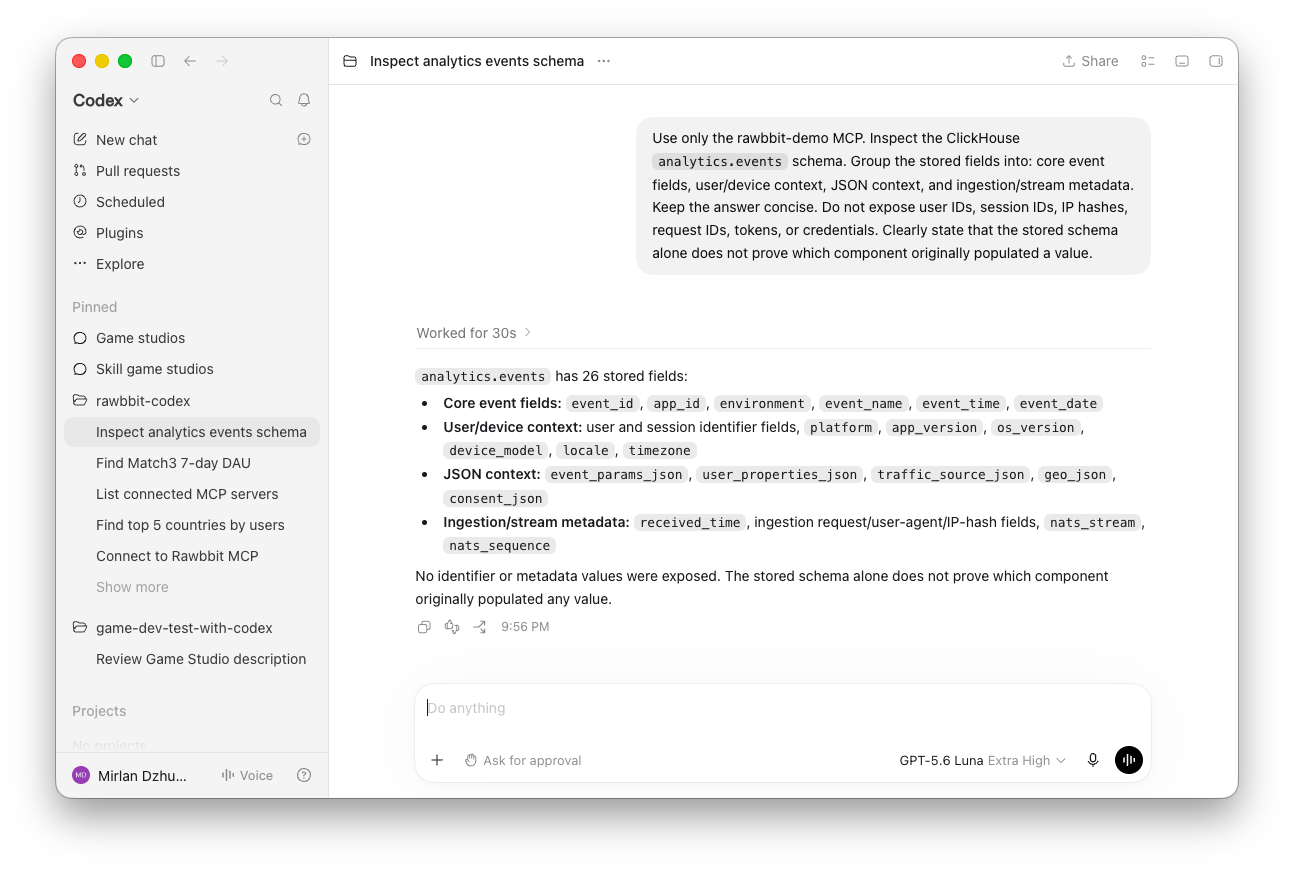
An AI agent connected through the read-only Rawbbit MCP can inspect the stored schema and query example events.
For example, you can ask:
Inspect
analytics.events. Group the stored fields into core event fields, user and device context, JSON context, and ingestion metadata.
You can also check how a game is using flexible fields:
For recent synthetic
level_completedevents, compare common keys inevent_params_jsonwith common keys inuser_properties_json.
In the current synthetic game data, event parameters include level_id, duration_seconds, moves_used, score, and stars_earned. User properties include install_date, payer_segment, player_level, lifetime_sessions, and lifetime_revenue_usd.
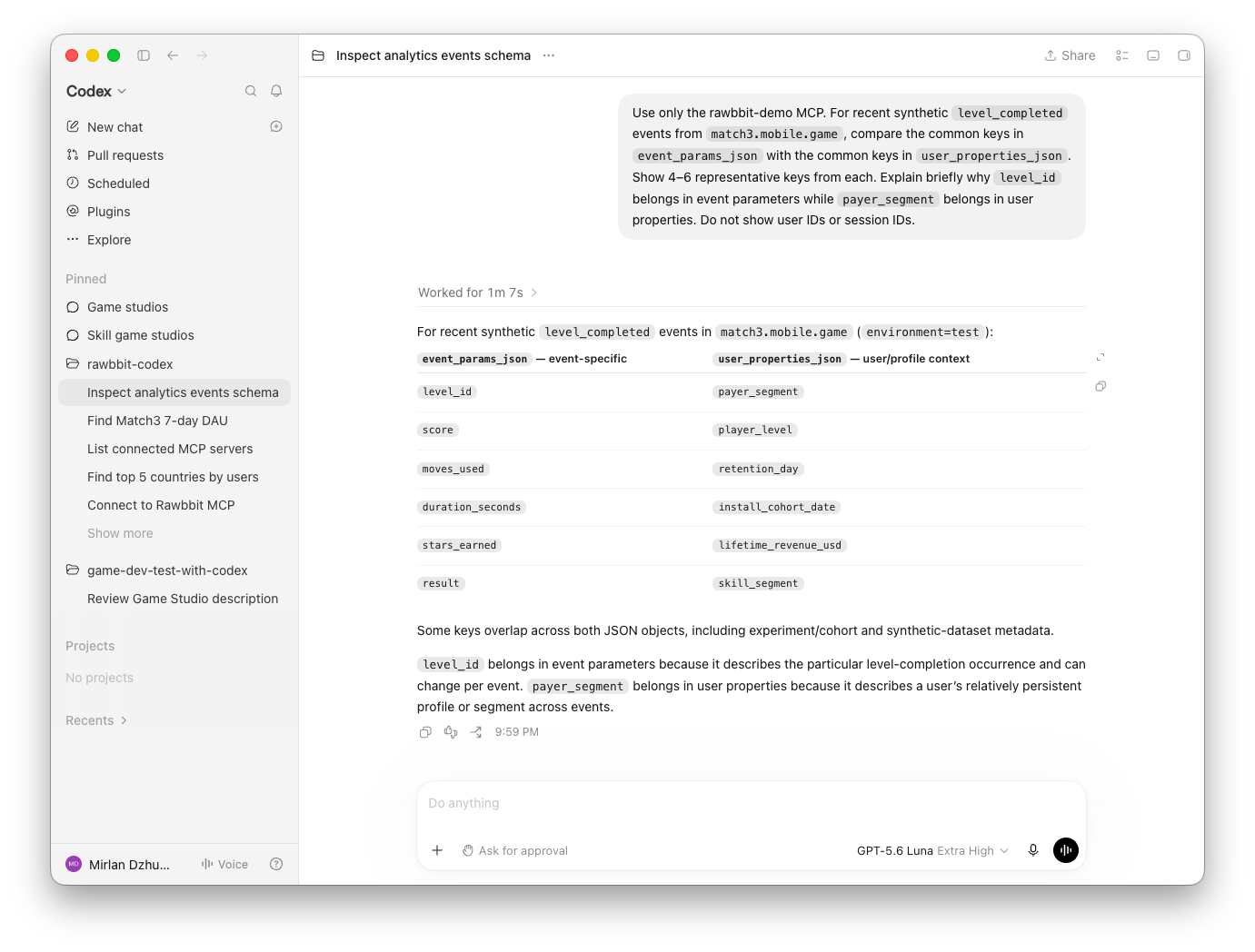
The agent can show what is stored. It cannot determine which component originally populated every value by looking at one database row. For that distinction, use the Collector API contract and the code that performs enrichment.
A short checklist before sending more events
- Generate a unique and stable
event_id. - Keep
app_id,environment, andevent_nameconsistent. - Send the event timestamp from the producer.
- Use a stable pseudonymous player ID when possible.
- Put facts about this occurrence in
event_params. - Put player-state snapshots in
user_properties. - Send traffic attribution only when the producer actually knows it.
- Do not send secrets, payment credentials, or unnecessary personal data.
- Send a small test batch and inspect the stored event before instrumenting dozens of event types.
To see the full path after the payload reaches the collector, read How one event moves through Rawbbit.
To query the resulting events with an AI agent, read How to connect Rawbbit MCP to Codex.
The deployment and access layers are described on How Rawbbit works.